
Download Social Anywhere – Free Facebook‑Google+ Integration Tool
Overview
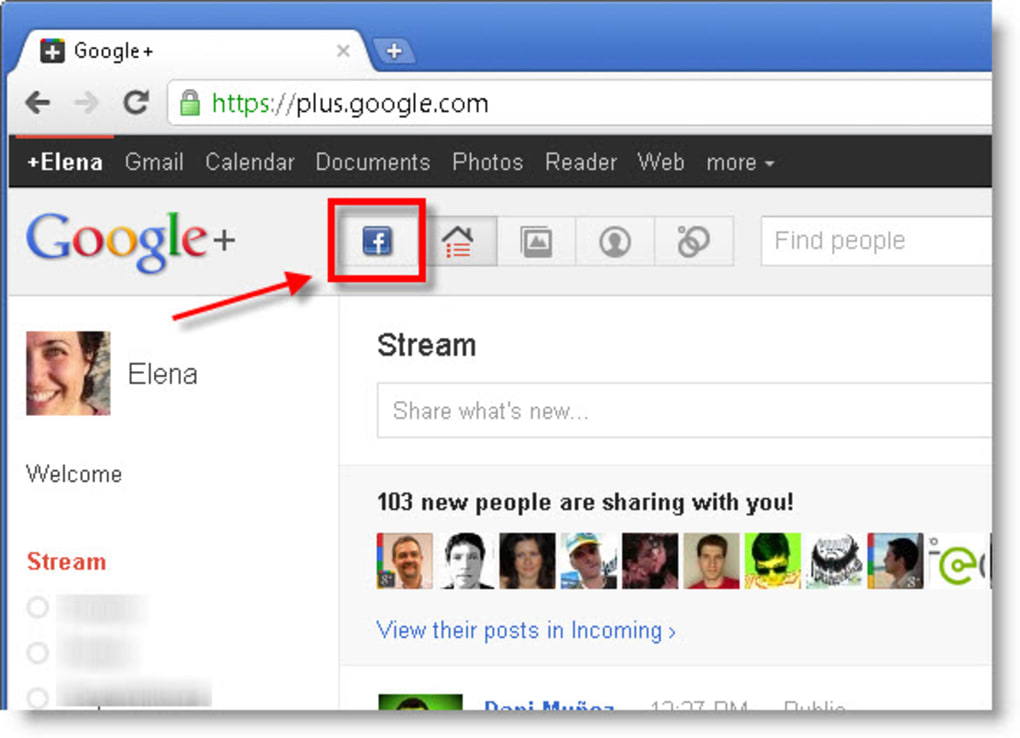
Social Anywhere (formerly known as Google+Facebook) is a lightweight, free browser plug‑in for Firefox and Google Chrome that brings your Facebook feed directly into the Google+ interface. After a quick authorization step, a new Facebook icon appears on the Google+ top‑bar, letting you view your Facebook wall without opening a separate tab. The plug‑in also offers a concise status‑update field, so you can post plain‑text messages to Facebook while staying inside Google+.
Although the tool does not support rich media sharing (links, photos, videos), it eliminates the constant back‑and‑forth between two of the most popular social networks, saving you time and browser resources. Social Anywhere is ideal for power users who spend most of their day on Google+ and want a glance‑at‑their‑Facebook‑timeline without the clutter of a full‑screen Facebook page. Its minimalistic design, zero‑cost price tag, and simple activation process make it a handy addition to any modern web‑browsing routine.
Core Features & Compatibility
- Integrated Facebook feed: View your personal Facebook wall directly inside Google+ with a single click.
- One‑click status updates: Publish plain‑text messages to Facebook without leaving the Google+ environment.
- Cross‑browser support: Available for both Firefox and Google Chrome, the two most widely used browsers worldwide.
- Secure OAuth authorization: Your Facebook credentials are never stored locally; the plug‑in uses Facebook’s standard OAuth flow.
- Lightweight footprint: The extension adds only a few kilobytes to your browser, keeping page load times fast.
- Automatic profile redirection: Clicking a Facebook profile within the feed instantly opens the original Facebook page for a full experience.
Social Anywhere is designed to work on the latest versions of Windows, macOS, and Linux, as long as you run a compatible version of Firefox (v78+) or Chrome (v84+). The Windows 10/11, macOS Catalina or later, and major Linux distributions are officially supported, ensuring that the plug‑in runs smoothly across the most common desktop environments.
Installation, Setup & Usage Guide
Getting Social Anywhere up and running takes less than five minutes. Follow these steps for a seamless experience:
- Visit the official extension store: Open the Chrome Web Store or Firefox Add‑ons site and search for “Social Anywhere”.
- Click “Add to Chrome” or “Add to Firefox”: The browser will prompt you to confirm the installation. Accept the permissions request.
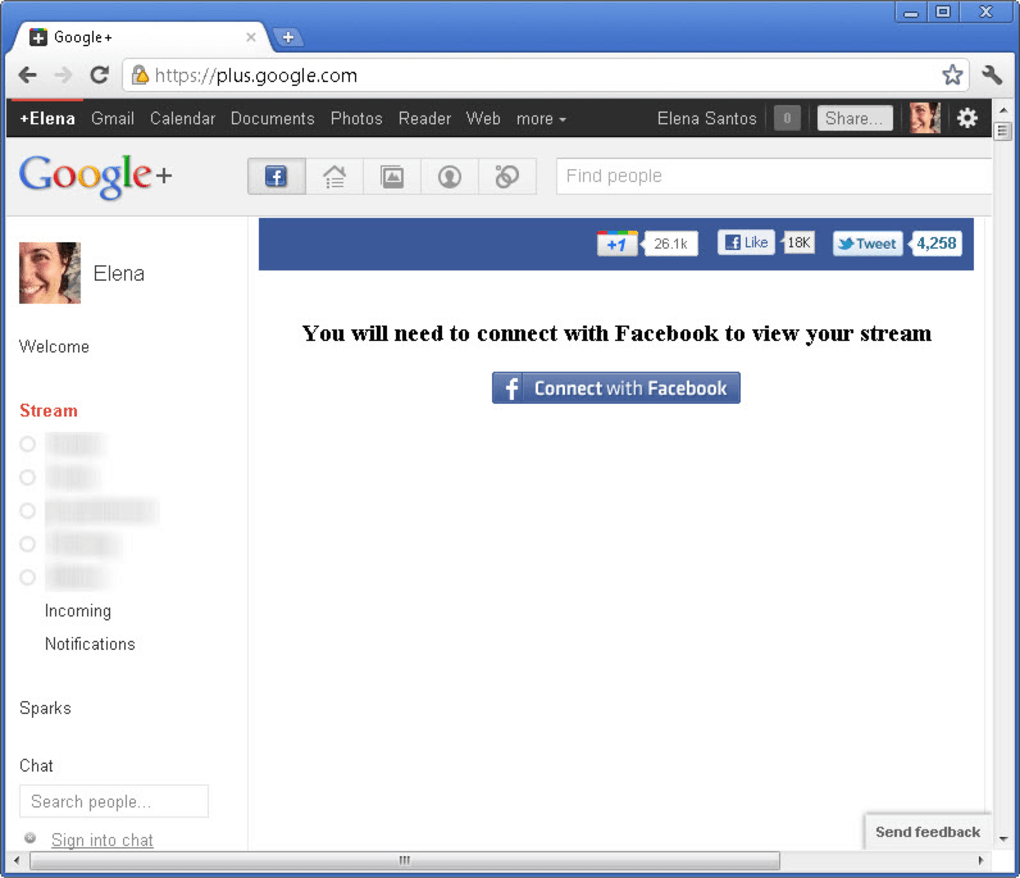
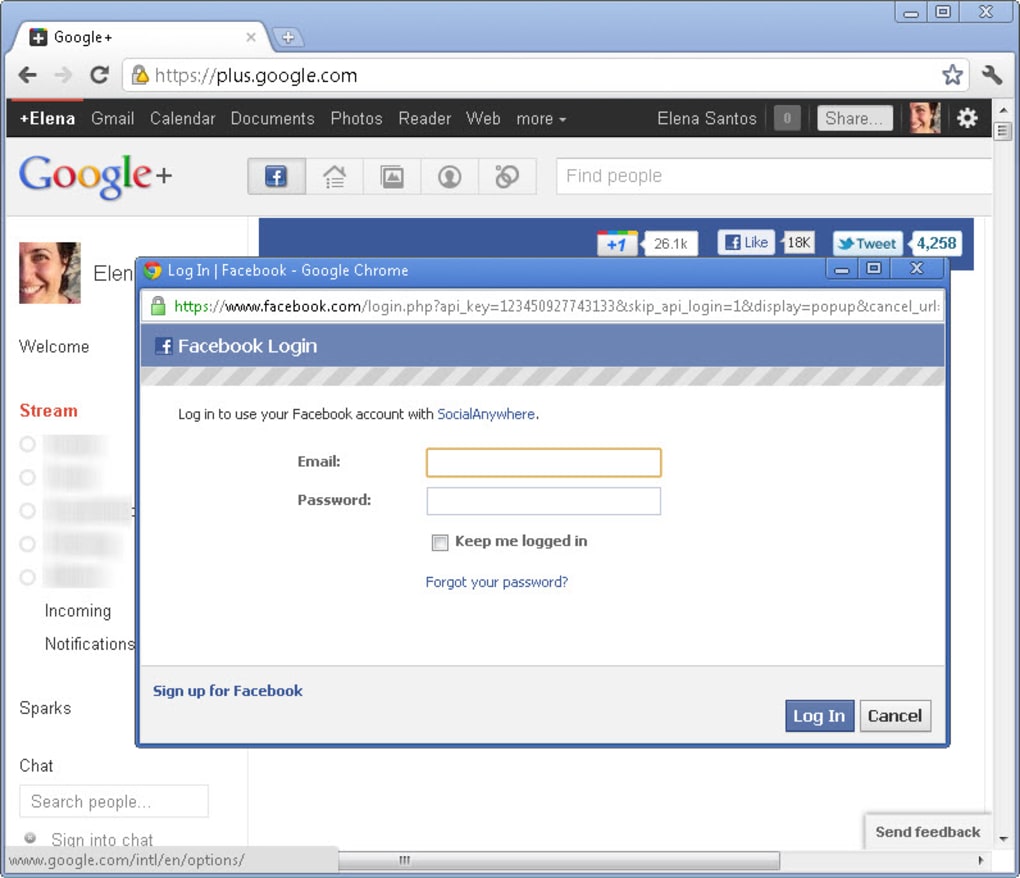
- Authorize Facebook access: After installation, navigate to Google+. You’ll see a new Facebook icon on the top navigation bar. Click it; a Facebook login window appears. Enter your credentials and grant the plug‑in permission to read your feed and post status updates.
- Start browsing: Once authorized, your Facebook wall loads within a collapsible panel on Google+. Use the scroll bar to browse recent posts, likes, and comments.
- Post a status: At the top of the Facebook panel, there’s a simple text field. Type your message (up to 500 characters) and press “Enter” or click the “Post” button. The update appears on your Facebook timeline instantly.
- Explore profile links: Clicking any name or profile picture inside the feed redirects you to the full Facebook profile in a new tab, preserving the plug‑in’s quick‑view functionality.
Because Social Anywhere relies on the OAuth token provided by Facebook, you can revoke access at any time from your Facebook security settings. Updates are pushed automatically through the browser’s extension framework, ensuring you always have the latest bug fixes and compatibility tweaks.
Pros, Cons & Frequently Asked Questions
Pros
- Completely free with no hidden fees.
- Eliminates the need to switch tabs between Facebook and Google+.
- Lightweight and fast, preserving browser performance.
- Secure OAuth authentication protects your login details.
- Works on both Chrome and Firefox, covering the majority of desktop users.
Cons
- Only supports plain‑text status updates; no links, photos, or videos.
- Google+ was officially shut down for consumers in 2019, so the plug‑in is now mainly useful for G‑Suite (Google Workspace) or legacy accounts.
- Profile clicks redirect to Facebook, breaking the “stay‑in‑Google+” flow.
- No mobile‑app version; limited to desktop browsers.
- Occasional UI glitches when Facebook changes its feed layout.
FAQ
Is Social Anywhere still safe to use after Facebook’s API changes?
Yes. Social Anywhere uses Facebook’s official OAuth flow, which adapts automatically to API updates. The extension receives a token that grants read‑only access to your feed and write access for status updates, ensuring compliance with Facebook’s security policies.
Can I use Social Anywhere on a MacBook with Safari?
No. The plug‑in is built exclusively for Chrome and Firefox. Safari does not support the extension APIs required for Social Anywhere at this time.
Will my Facebook friends see that I’m using a third‑party app?
Only you can see the app in your Facebook settings. Friends are not notified that you’re using Social Anywhere, and the plug‑in does not post anything on your behalf without your explicit action.
How do I remove Social Anywhere if I no longer need it?
Open your browser’s extensions page (chrome://extensions or about:addons), locate Social Anywhere, and click “Remove”. Then revoke its access in your Facebook security settings for complete cleanup.
Does Social Anywhere work with Google Workspace (formerly G‑Suite) accounts?
Yes. The plug‑in integrates with the Google+ experience provided in Google Workspace, allowing enterprise users to view Facebook updates without leaving the corporate environment.
Overall Rating: 4 out of 5 stars – Social Anywhere delivers a smooth, no‑cost solution for users who still need simultaneous access to Facebook while working inside Google+ or Google Workspace.
Conclusion & Call to Action
If you spend a large portion of your day on Google+ (or the Google Workspace equivalent) and want a quick snapshot of what’s happening on Facebook, Social Anywhere is the tool you’ve been waiting for. Its free, secure, and easy‑to‑install nature makes it a low‑risk addition to any modern browser. While the lack of rich‑media posting is a notable limitation, the core benefit—seeing your Facebook feed without juggling tabs—remains valuable for productivity‑focused users. Download Social Anywhere today, authorize the plug‑in, and enjoy a unified social browsing experience that saves you time and reduces browser clutter.
Download Social Anywhere now and start consolidating your social streams with a single click.







